|
There is an easy step to download videos from Facebook Try it.
Step 1 : Login to your facebook account.
Step 2 : Click on any one video and right click on the video, normally any download option will not be there wont get disappointed try the another step.
Step 3 : In the address bar ( where you will type the site address), just prefix a m. in the url and press enter. (https://m.facebook.com/)
Step 4 : Now try playing the video and right click on that video you can see an option save video, simply click on it and download the video.
In mobile browser you can long press on the video and can have the same option.
Is it nice? Working ?
|
How can i download videos from Facebook ?? Are you with the same Question?
Essential Browser Addons you should use.

Here are some essential add-on you should use in your day to day usage, add-ons are the additional programs that are used to do some specific actions in your browser. In my experience i would like to share some of them, that may be helpful to you too. I expect your suggestions for improving the user experience.
I heard about it add-ons, what is it actually?
Add-on is the general term for what enhances an
application. It comprises snap-in, plug-in, theme and skin. An extension
add-on tailors the core features of an application by adding an
optional module, whereas a plug-in add-on would tailor the outer layers
of an application to personalize functionality.
Why should i use add-ons ?
It brings ease of access to certain functionalities. lots and lots of add-ons are available with the browser you use, make use of it and enjoy the ease. for example i want to download a video from you tube most of the people will go for you tube video download software and copy the video url and paste it in the software then it will ask for a licensed version so you will click cancel and avoid downloading the thing, some people will try several times and download the video. Why do such things install an addon in your browser and in the below of the video itself you will get the download option.
i would like to share some of the addons like this keep reading.
This is an easy YouTube Video Downloader - If all you need is a simple,
intuitive, and non-intrusive Add-On to download YouTube videos, this is
the Add-On for you.
Capture the whole page or any portion, annotate it with rectangles,
circles, arrows, lines and text, blur sensitive info, one-click upload
to share. And more!
3. ColorZilla (Mostly for web developers)
Advanced Eyedropper, Color Picker, Gradient Generator and other colorful goodies.
4. Firebug (Mostly for web developers)
Firebug integrates with Firefox to put a wealth of development tools at
your fingertips while you browse. You can edit, debug, and monitor CSS,
HTML, and JavaScript live in any web page.
Start trying these...
How to Run Ubuntu from Pendrive

There is a good news for you.. Don't waste your disk space for loading an extra operating system in your computer and avoid problems related to partitioning. You can load any version of Ubuntu operating system from your pen drive(thumb drive). Just plug in your Ubuntu loaded pen drive and boot from it, sounds great right? Then go through the following steps to make it happen.
Step 1 : Download the latest version of Ubuntu operating system from the official Ubuntu page Download Latest Ubuntu. I you have a downloaded .iso version then don't look inti it.
Step 2 : Next we want the pen drive to become bootable for that Download Universal USB Installer software and install in your windows system. Now its simple our job is over now its machine's work to make it done for us.

Step 3 : Open Universal USB Installer and choose the Ubuntu version you have with you. If its not listed in it don't worry just choose the Ubuntu option and locate your downloaded ISO file. it may look like ubuntu-amd-64.iso or some thing like that and select your pen drive as source then click OK.

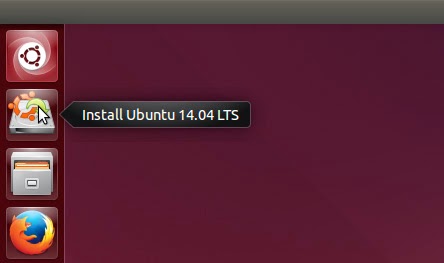
Step 4 : Follow the instructions and wait until it completes. Then restart your system and enter into Boot Device Selection Menu. There are some specific keys to do so and it may differ according to the System you are using. Commonly F8, F10, Escape Keys are used. In the Boot device selection Menu your pen drive Drive letter will be shown and select that option and press Enter. Now Operating system will Load from your Pen drive. There will be two options available for you Install Ubuntu and Try Ubuntu Simply select try Ubuntu and start working on it. Is it simple ?

Note : Use At least 4GB Pen drive.
Subscribe to:
Comments
(
Atom
)