How to Run Ubuntu from Pendrive


There is a good news for you.. Don't waste your disk space for loading an extra operating system in your computer and avoid problems related to partitioning. You can load any version of Ubuntu operating system from your pen drive(thumb drive). Just plug in your Ubuntu loaded pen drive and boot from it, sounds great right? Then go through the following steps to make it happen.


Step 1 : Download the latest version of Ubuntu operating system from the official Ubuntu page Download Latest Ubuntu. I you have a downloaded .iso version then don't look inti it.

Step 2 : Next we want the pen drive to become bootable for that Download Universal USB Installer software and install in your windows system. Now its simple our job is over now its machine's work to make it done for us.


Step 3 : Open Universal USB Installer and choose the Ubuntu version you have with you. If its not listed in it don't worry just choose the Ubuntu option and locate your downloaded ISO file. it may look like ubuntu-amd-64.iso or some thing like that and select your pen drive as source then click OK.


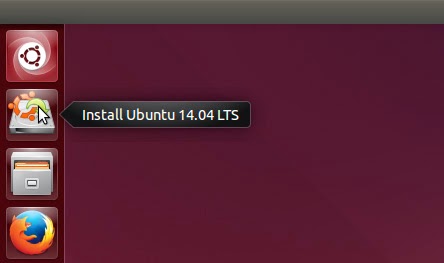
Step 4 : Follow the instructions and wait until it completes. Then restart your system and enter into Boot Device Selection Menu. There are some specific keys to do so and it may differ according to the System you are using. Commonly F8, F10, Escape Keys are used. In the Boot device selection Menu your pen drive Drive letter will be shown and select that option and press Enter. Now Operating system will Load from your Pen drive. There will be two options available for you Install Ubuntu and Try Ubuntu Simply select try Ubuntu and start working on it. Is it simple ?



Note : Use At least 4GB Pen drive.


WAMP SERVER Installation Error MSVRCR100.dll is missing.

I have encountered a problem while installing WAMP Server on my PC, it shows an error message saying that 'MSVCRC100.dll Missing and exits the installation and the WAMP icon stays offile. How it can be solved?? Try what i have done and send your feedback.

The problem is due to the absence of supporting Visual C++ files. When the installation of
Microsoft Visual C++ 2010 SP1 Redistributable Package is over the problem will be resolved.


STEP 1 : Uninstall the WAMP Server you have installed. Then restart the system.

STEP 2 : Download Microsoft Visual C++ 2010 SP1 Redistributable Package from Microsoft website. Here is the link for you.


STEP 3 : After downloading and installing the file restart your system and install WAMP Server again.

STEP 4 : Hope the problem will be solved the error messages are vanished and the WAMP icon gone Green Like your face.

NOTE : Some times skype will be the path blocker for you during these steps, i recommend don't use skype during these time and quite skype process by simply right clicking on the skype icon and choose 'Quite Skype '. This is why because both applications use same communication ports on your system. Is this content is helpful for you ??

Security Exceptions


 You may be sometimes faced such security exceptions while logging into your mail server or any other relevant websites. Most of the people will think that it will be the problem of the browser or the net and at last you will go for computer issue and call service provider and he will make it correct actually what is the real issue???

 Your computer time and date will be set to default due to CMOS battery fault.


 In such a system when you try to log in it will show such untrusted connection warning to avoid this temporarily just click in the 'I Understand the risk' and in the next window click on the Get certificate button and click Confirm security Exception button.

By doing so the exceptions are temporarily stopped and with using that certificate can log into that site multiple times. To get a permanent solution replace the CMOS battery of your system.
This small battery is used to store the initial settings of the system and time which you set, collectively it is called as BIOS(Basic Input Output Settings).

This information may be known for people who are all more attached with the system otherwise try to understand your computer's basic problems like this.